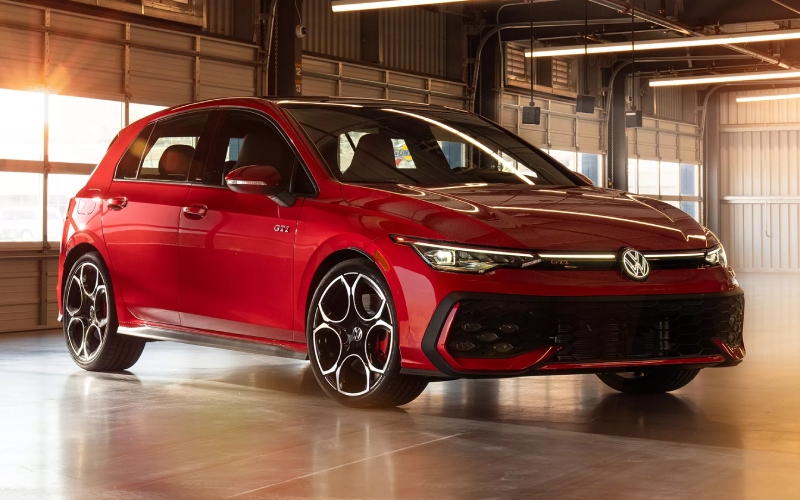
Bob Penkhus Volkswagen - Big-Screen Control — How the 2026 Volkswagen Golf GTI’s 12.9-inch Touchscreen Fits Daily Life around Monument, CO
Volkswagen designed the 2026 Golf GTI’s cabin around clarity and control, and you see it the moment the standard 12.9-inch touchscreen lights up. Menus are intentionally organized, icons scale well at a glance, and core functions remain only a swipe or a tap away—ideal when you’re juggling Monument’s varied routines, from Highway 105 cruises to school pickups and evening runs toward Palmer Lake. The large canvas simplifies quick actions like toggling driver-assistance preferences, setting a destination, or tailoring drive modes to soften the ride for family duty or sharpen responses for Highway 83. It also neatly teams with Digital Cockpit Pro for a two-screen flow, so you can view real-time data—navigation cues, safety alerts, or drive information—without stepping through multiple layers. The big-screen approach feels thoughtfully executed, turning a hot hatch into a daily companion that manages information without adding effort.
Beyond size, the GTI’s interface is built to evolve. Wireless App-Connect® supports Apple CarPlay and Android Auto without cables, and available Wi-Fi Hotspot keeps passengers connected across Monument and into the foothills. Available Premium Speech unlocks natural voice control for common tasks—adjusting temperature, changing audio, or plotting a POI near the trailhead—so you can keep eyes up and hands steady. The touchscreen’s card-like layouts can be customized to surface your essentials—navigation and media for longer drives, or quick-access toggles for driver-assistance when you’re bouncing between errands. That means less time diving into submenus and more time focused on the road. When paired with available DCC Adaptive Chassis Control, your on-screen drive mode selections can transform the GTI’s character, dialing comfort for rougher stretches or precision for sweeping two-lane bends. The result is a connected cabin that meets you where you are—weekday simplicity with weekend agility baked in.
- Everyday usability: Large touch targets and logical menu paths help reduce distraction on familiar daily routes.
- Flexible layouts: Arrange climate, navigation, media, and drive modes to reflect your routine—no one-size-fits-all screens here.
- Voice-forward control: Available Premium Speech handles frequent tasks hands-free when winter gloves and early commutes collide.
- Seamless pairing: Wireless App-Connect® minimizes cord clutter and reconnects automatically for repeat drives.
- Two-screen synergy: Digital Cockpit Pro and the 12.9-inch display split duties for glanceable information and deeper control.
If you navigate shifting schedules and weather around Monument, smart tech isn’t a bonus—it’s a daily advantage. The GTI’s screen-centric layout fits that reality. It supports your rhythm on busy mornings, makes detours easy when Mount Herman calls, and maintains a familiar interface when multiple drivers share the car. You can keep the map front and center, leave a drive-mode tile nearby, and park climate controls within quick reach. As features expand through myVW-connected services and vehicle software updates, the core idea remains the same: a simple place to do complex things. That clarity is what keeps this hot hatch so approachable in the real world.
When you’re ready to see the 12.9-inch touchscreen in action, Bob Penkhus Volkswagen offers walk-throughs that focus on your everyday use—screen setup, pairing phones, and configuring driver-assistance preferences for Monument’s mix of street and highway driving. Our team is serving Pueblo, Castle Rock, and Monument with demos that put your questions first, from multi-user profiles to voice-control tips for winter mornings. The GTI’s performance still wows, but it’s the thoughtful cabin made for multitaskers that often wins the test drive.
Frequently Asked Questions:
Can I customize what appears on the home screen?
Yes. You can prioritize tiles like navigation, audio, climate, and drive modes, then save layouts to user profiles.
Does the touchscreen work well with gloves in winter?
Lightweight gloves often work, but voice control via available Premium Speech is a great cold-weather alternative.
Is wireless phone integration standard?
Wireless App-Connect® is supported for Apple CarPlay and Android Auto, so you can pair without cables.
How does the big screen interact with driver-assistance features?
You can view and adjust many IQ.DRIVE® settings on screen, making it easy to tailor alerts and assistance to your preferences.